Sure Tasks: task management software made in Georgia
Sure Tasks is SureIT's own task management software, made in Georgia for teams of 5 to 200 people. Projects with a board, list, calendar and timeline, tasks that keep the whole story, and analytics that say in plain words what is late. It runs on your own server with one command, or we host it for you. A simple, fast alternative to Jira, Trello, Asana and ClickUp, with a Georgian interface.
Why it matters
Many teams pay for Jira, Asana or ClickUp and use a tenth of it. Setup screens come before any value, nobody can explain the permissions, and every plan sits on a server abroad. Other teams run on Trello boards and WhatsApp groups, and nobody can say who is on what.
Sure Tasks keeps what a team of 5 to 200 people actually uses and leaves out the rest. Everyone starts the day with what is overdue and what is due this week. Permissions fit in one sentence: four workspace roles and three project roles. No plugins to buy and no hidden cloud services. When it runs on your own server, your data does not leave the building.
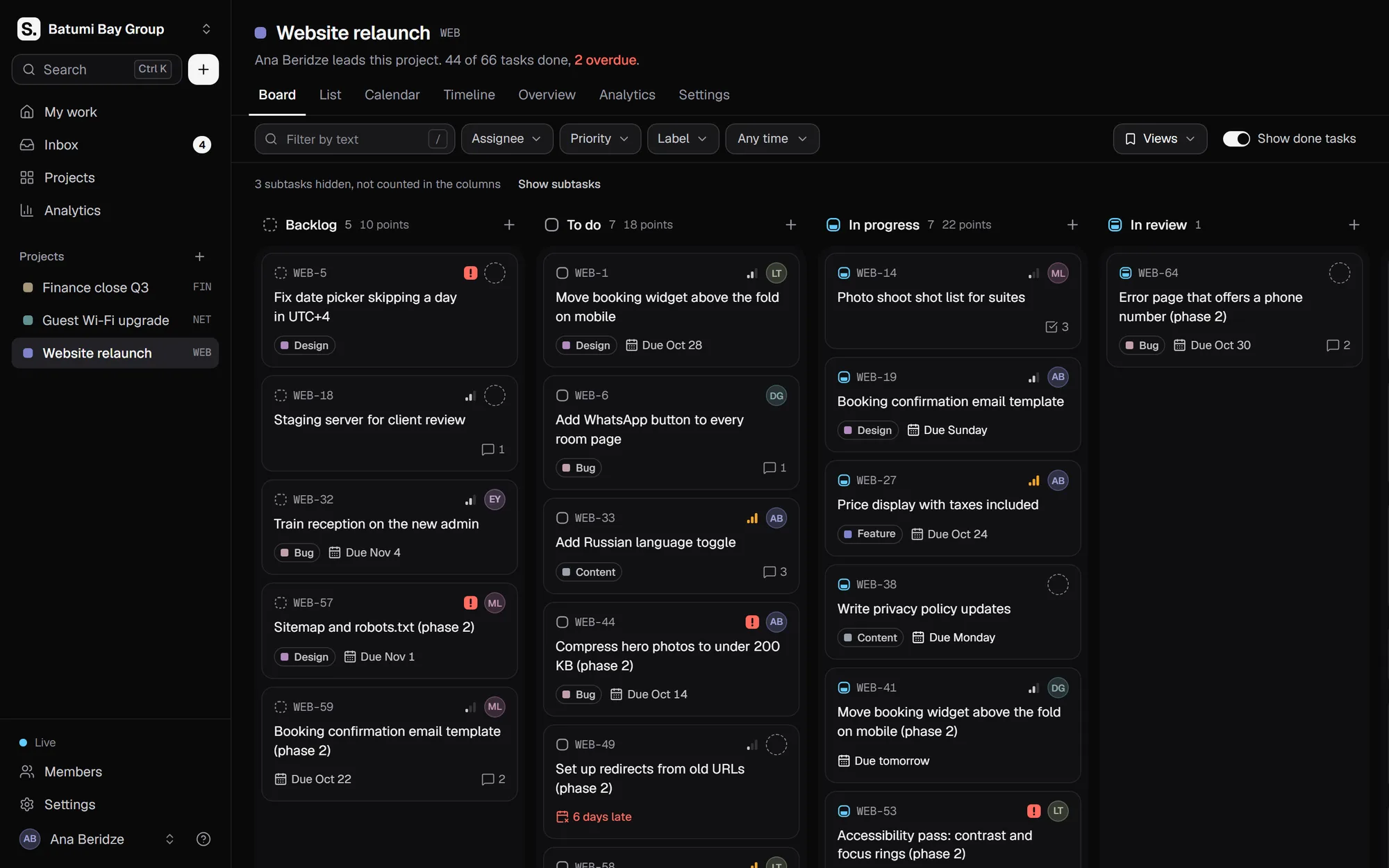
Real screens from Sure Tasks
These are screenshots of the product itself, taken in a demo workspace.
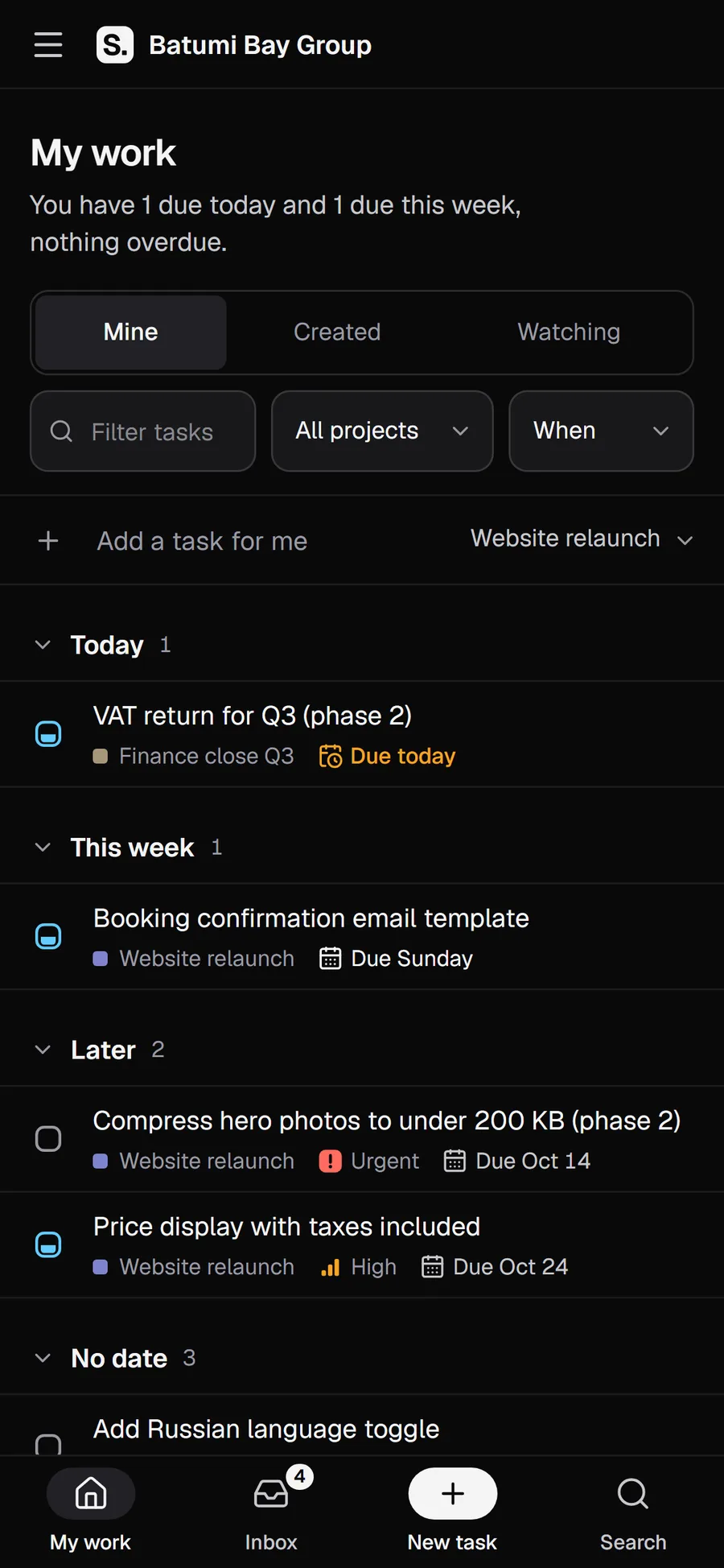
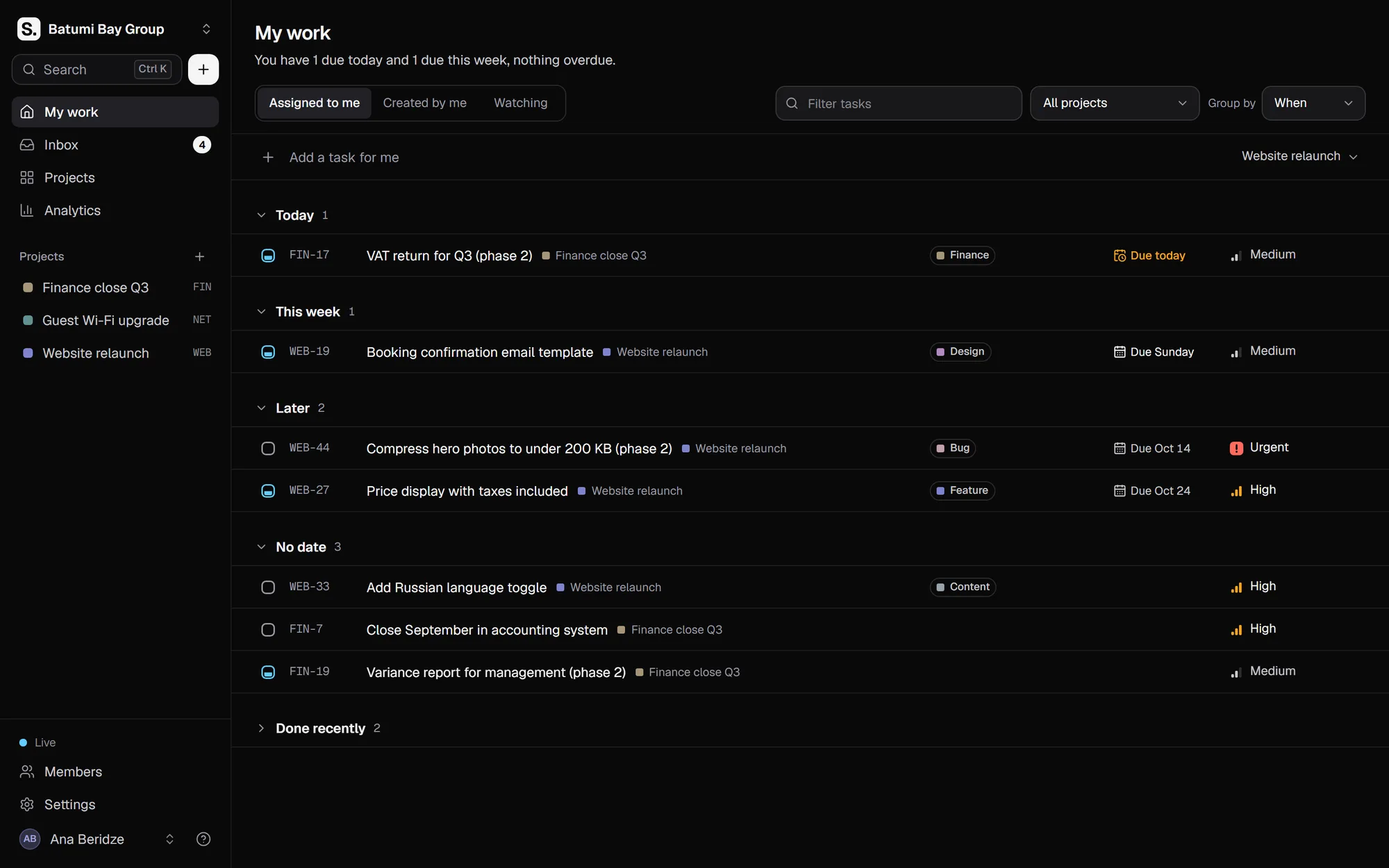
My work: everything assigned to you, with overdue tasks and tasks due this week at the top. 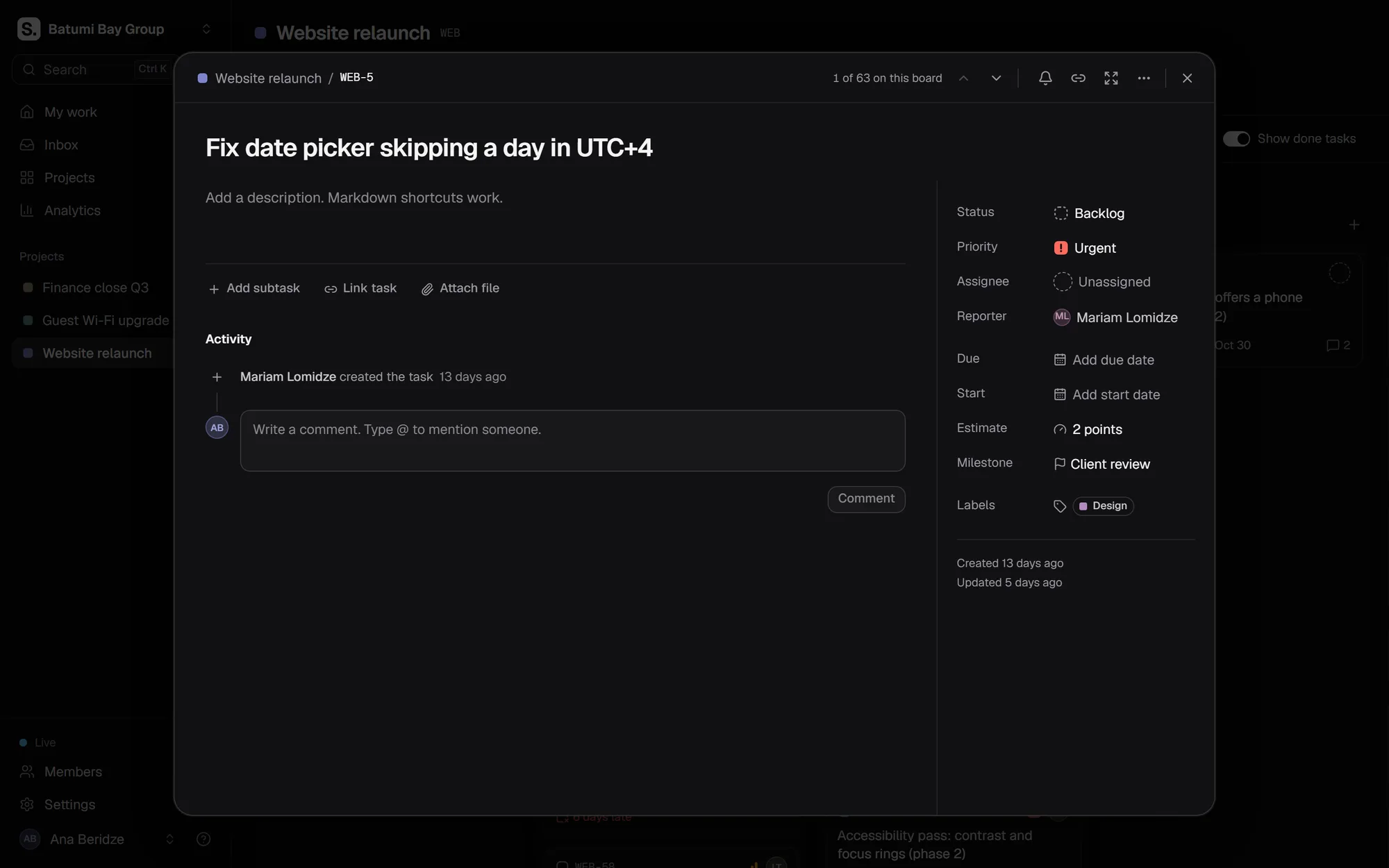
A task opened in a side panel with its description, subtasks, comments and history, without leaving the board. 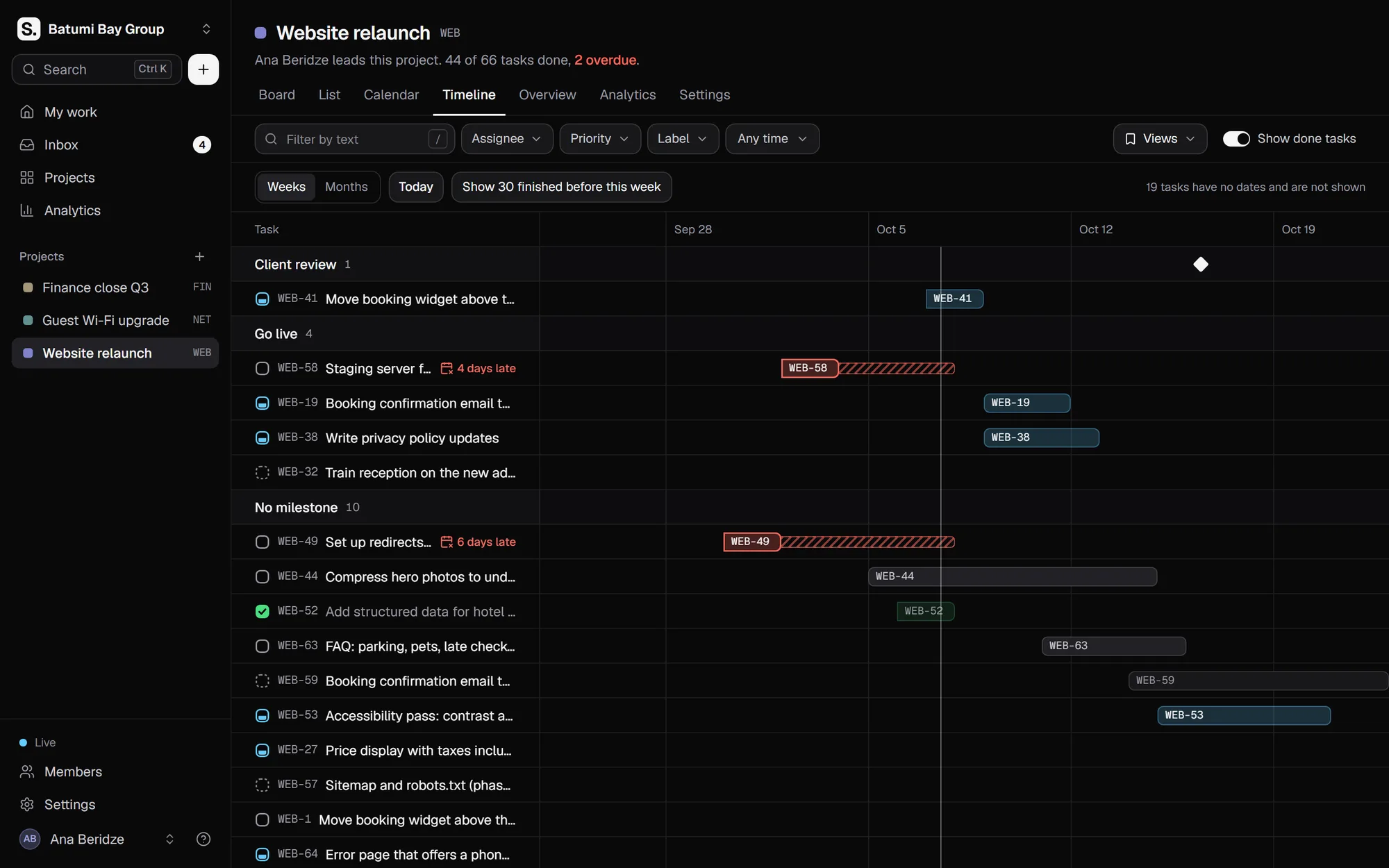
The timeline of a project, where each task is a bar from its start date to its due date. 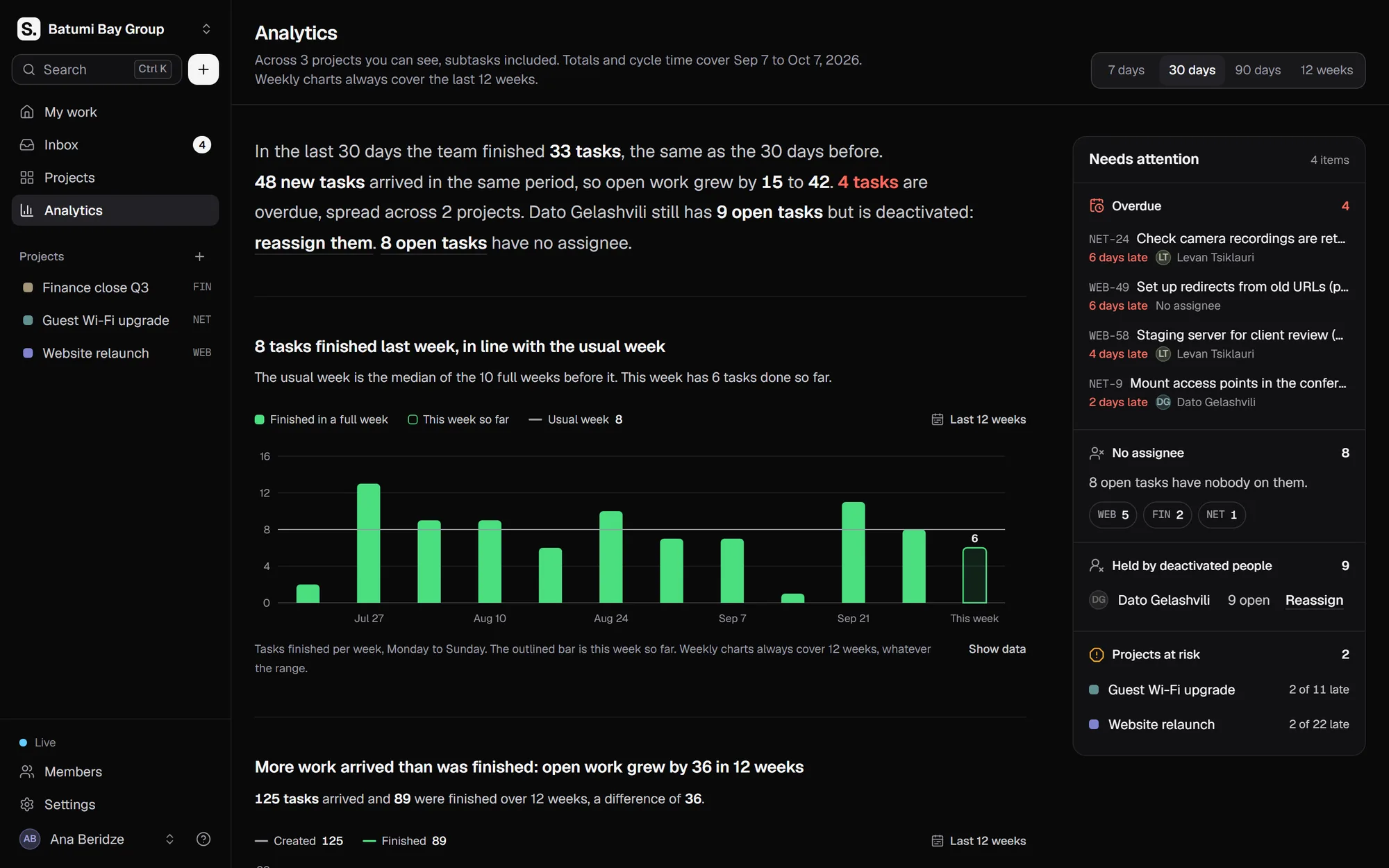
Analytics with a short summary in plain words and a Needs attention list of what is late or overloaded.
What is in Sure Tasks
Board, list, calendar and timeline
Every project in four views. Drag cards between statuses, edit inline, change a hundred tasks at once, save filtered views and export lists to CSV.
Tasks that keep the whole story
Descriptions, subtasks, links between tasks, files, comments with @mentions and a history of who changed what. My work shows each person their own tasks, and notifications go only to people connected to a task.
Analytics in plain words
Throughput, cycle time, workload per person and project health from real completion dates, with a short written summary and a Needs attention list that links straight to the late work.
Optional AI that only proposes
Ask questions about your work, turn meeting notes into tasks, break a big task down or summarise a thread. A person confirms every change. It can run on a local Ollama model on your own server.
Security you can show an auditor
Two-factor sign-in that admins can make mandatory, single sign-on with Microsoft Entra ID, Google Workspace or Keycloak, account lockout, rate limits, encrypted secrets, an audit log and a written OWASP Top 10 mapping for your IT team.
Integrations and a REST API
Signed webhooks with retries and a delivery log, messages to Slack, Microsoft Teams, Discord or Google Chat, email over your own mail server, and a REST API with personal tokens that follows the same permissions as the app.
How you get started
A live demo
We show you Sure Tasks on a call, then talk through your team and where your data should live.
Setup
We install it on your server with one command, or host it for you. We create the workspace, invite your people, turn on two-factor or single sign-on, schedule nightly backups and move your current tasks across.
Run and adapt
We keep it updated and backed up, and we can change it to fit how your team works, from statuses to connections with your own systems.
Who it is for
Hotels
Maintenance, housekeeping and front desk tasks in one place, checked on a phone between jobs.
Agencies
Client projects on a board and a timeline. A client invited as a guest sees only their own project.
IT companies
Releases and support work with webhooks, a REST API and a keyboard shortcut for everything.
Offices and operations teams
Who is on what, what is late and what is due this week, all one glance away, without status meetings.
Made in Georgia, by SureIT
Sure Tasks is our own product, built and supported by the same engineers who install it. It is new, so we do not quote user numbers. We show you the real thing on a call, and you decide.
- 1Command installs it on your server with Docker.
- 3Interface languages: Georgian, English and Turkish.
- 0Outside cloud services it depends on.
Questions about Sure Tasks
How much does the task management software cost?
It depends on the size of your team and whether it runs on your server or ours. First we show you a free demo, then you get a fixed price in writing before anything starts.
Can we try it first?
Yes. We walk you through a live demo on a call and answer your questions on the spot.
Is it in Georgian?
Yes. The interface is in Georgian, English and Turkish, and each person picks their own language. Task and project names stay exactly as your team writes them.
Can we move our tasks from Jira or Trello?
There is no built-in importer yet. Moving your current tasks is part of our setup work: we bring across what you need, so your team starts with its real projects.
Where is our data stored?
Where you choose. On your own server, in one database and on its disk, and it sends nothing outside unless you turn on email, AI or integrations. Or on a server we run for you. Either way the data and the accounts are in your name, with nightly backups.
Is the AI required, and where does our text go?
No. AI is off until you turn it on. It can run on a local model on your own server, so task text stays in the building. It only proposes: nothing is saved until a person confirms.
Do you work outside Batumi?
Yes, across Georgia. Setup, updates and support work remotely, and we come on site wherever your team is.
Tell us what you need.
Message us on WhatsApp, call, or send a short request. Plain words are fine.